AI Email Marketing for Newsletters
Learn how to use AI agents to research, draft, segment, review, and schedule newsletters without giving up control of your audience or brand.
In this guide
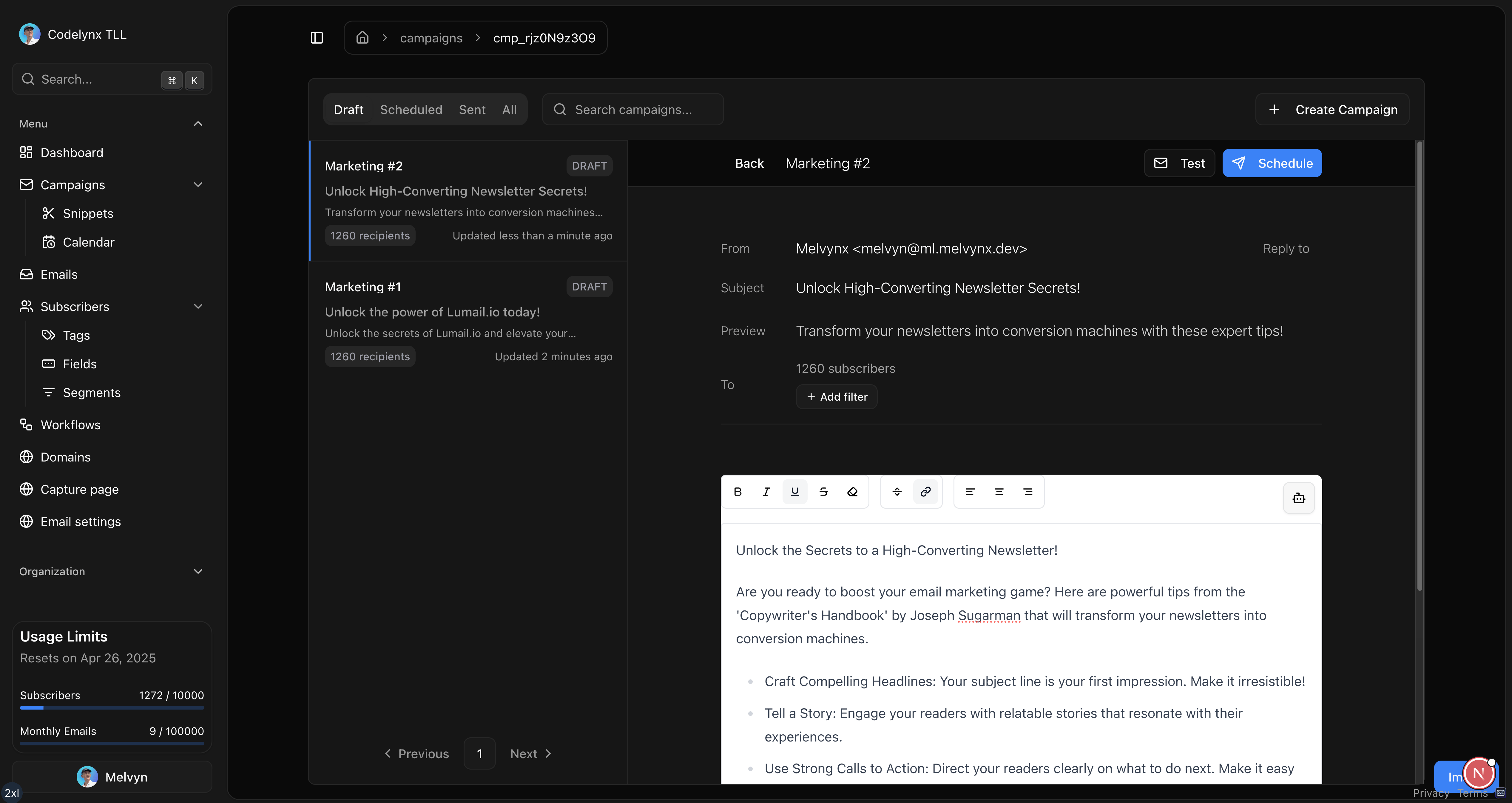
AI email marketing uses an AI assistant or agent to handle parts of the newsletter workflow: researching a topic, preparing a draft, selecting an audience, checking a campaign, or scheduling a send. The useful version is not “press one button and let a model email everyone.” It is a repeatable system with clear inputs, approval points, and a record of every action.
That distinction matters. A writing assistant can save time. An email agent can also operate the tools around the writing: subscriber data, tags, campaigns, workflows, and analytics. The opportunity is larger, but so is the need for guardrails.
What can AI automate in email marketing?
An AI agent can help across the campaign lifecycle:
- turn a brief, transcript, or product update into a newsletter outline;
- draft subject lines, preview text, and body copy;
- reuse approved brand context and previous campaign structure;
- segment subscribers with explicit tags and filters;
- create a campaign as a draft;
- inspect links, variables, and unsubscribe behavior before sending;
- schedule an approved campaign;
- summarize opens, clicks, bounces, and conversions afterward.
The best first automation is usually not sending. It is preparing a complete draft that a human can review in one place. This removes repetitive setup while keeping the consequential decision visible.
The difference between an AI assistant and an AI agent
An assistant gives you text. You copy that text into another application and finish the work yourself.
An agent can call approved tools. For example, it can create a draft campaign, add the correct audience filter, render the final email, and return a preview link. The agent moves the work forward instead of only describing what you should do.
Lumail exposes the same newsletter operations through its visual app, ChatGPT integration, MCP tools, CLI, SDK, and REST API. That means you can choose how much autonomy is appropriate without maintaining a separate email system for every interface.
Design the operating system before the prompt
A long prompt is not an operating system. A reliable setup defines the objects the agent can touch, the state transitions it may perform, and the evidence it must return.
For a weekly newsletter, write the contract in plain language:
| Stage | Agent responsibility | Required evidence | Human decision |
|---|---|---|---|
| Brief | Extract audience, promise, sources, and CTA | A structured brief with missing facts marked | Approve the angle |
| Draft | Create subject, preview, body, and audience rule | Campaign ID and complete draft | Edit the message |
| Preflight | Render links, variables, footer, and recipient estimate | Rendered output and check results | Approve the exact version |
| Schedule | Apply the approved time and time zone | Read-back of ID, sender, audience, and time | Confirm scheduling |
| Review | Summarize delivery and goal results | Comparable campaign metrics | Decide the next test |
This contract removes ambiguity from both sides. The agent knows what completion means. The operator knows where responsibility changes hands.
A safe AI newsletter workflow
Use a workflow with explicit stages instead of one vague instruction such as “send this week’s newsletter.”
1. Give the agent a bounded brief
Include the audience, desired action, source material, tone, and facts that must not change. If a claim does not have a source, tell the agent to leave it out or mark it for review.
A useful brief looks like this:
Prepare a newsletter draft for active course creators. Use the attached release notes as the only source for product claims. The goal is to get readers to view the workflow guide. Do not schedule or send.
This creates a clear mandate. It also prevents the model from inventing a testimonial, discount, deadline, or product capability to make the copy sound stronger.
2. Create a draft, not a send
The agent should create the campaign in draft state and return the subject, preview text, audience rule, and rendered body. A draft is inspectable and reversible. A send is not.
If your email platform offers different permissions, give drafting and reporting tools broader access than sending tools. Require a separate approval for scheduling or delivery.
3. Review the rendered email
Review the output subscribers will actually receive, not only the model’s markdown response. Rendering catches problems that plain text can hide:
- a broken button URL;
- an unresolved personalization variable;
- a missing footer or unsubscribe link;
- a layout that fails on mobile;
- accidental text outside the intended content block.
Lumail’s campaign tools can render a campaign before it is scheduled. The visual editor remains available when you want to make the final changes yourself.
4. Approve the exact audience
Ask the agent to state the segment in plain language and report the estimated recipient count. “Subscribers tagged customer who have not received campaign X” is reviewable. “The best people for this email” is not.
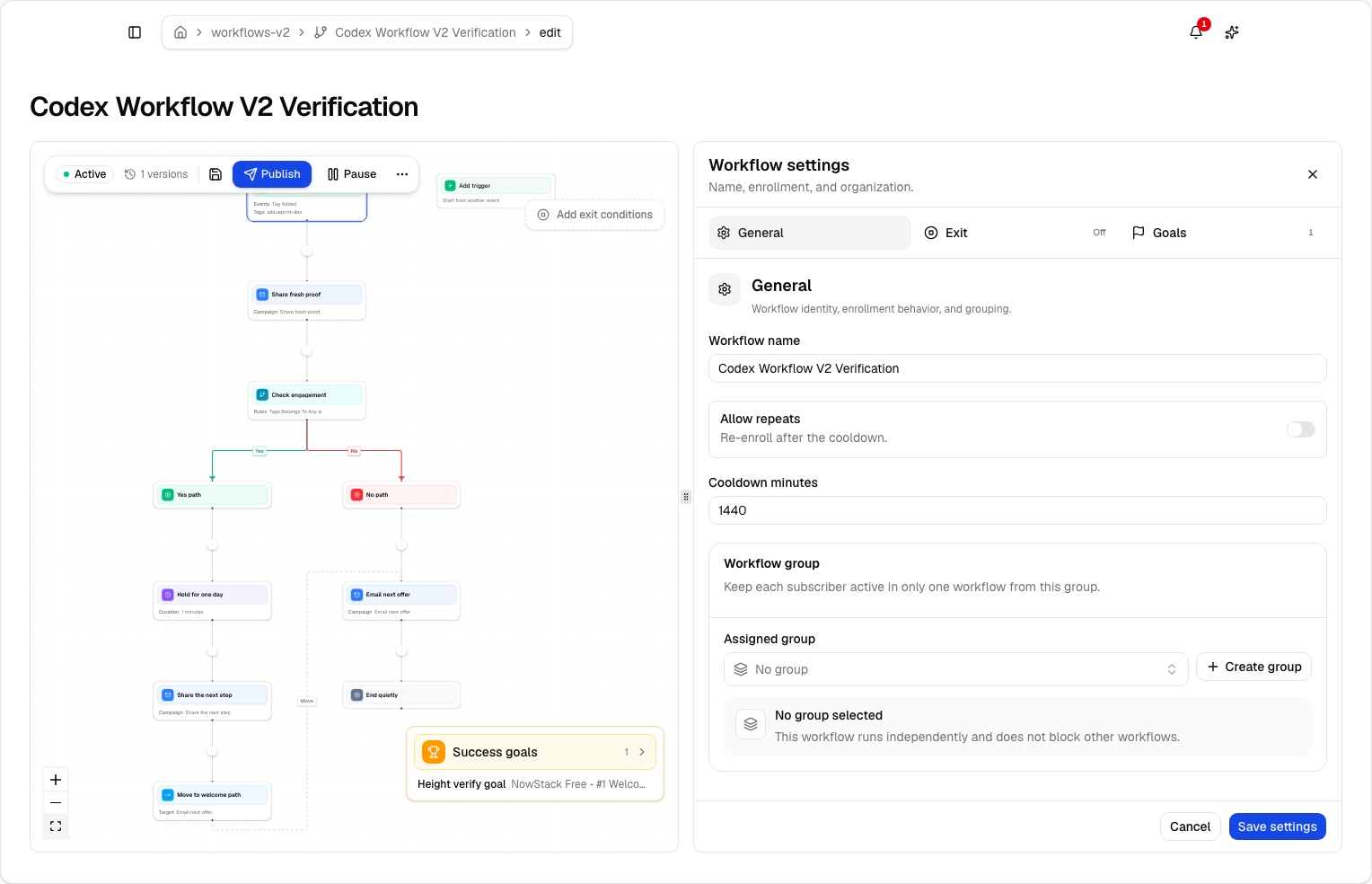
For more complex lifecycle messaging, use a published email workflow with explicit triggers, branches, goals, and exit rules. A saved workflow is easier to test and audit than a fresh audience decision made for every send.
5. Schedule with a final read-back
Before scheduling, read back the campaign ID, subject, audience, sender, and send time including the time zone. This small confirmation prevents the most common operational mistakes: approving the wrong draft or interpreting a local time as UTC.
Guardrails every AI email system needs
Separate creation from delivery
Treat create, edit, schedule, and send as different permissions. An agent that can improve copy does not automatically need authority to contact your full list.
Preserve an audit trail
Keep the campaign version, tool calls, approvals, and delivery state. When something goes wrong, you need to know whether the issue came from the brief, the generated content, an audience filter, or the sending system.
Use idempotent operations
Retries happen. A network timeout should not create two campaigns or send the same transactional message twice. Use stable identifiers and operations that can be safely read back before repeating them.
Keep subscriber data scoped
Only expose the fields required for the task. A subject-line assistant does not need subscriber records. A segmentation agent may need tags and engagement fields, but not every piece of profile data.
Make delivery failures visible
An accepted tool call is not proof that an email reached the inbox. Track queued, accepted, delivered, bounced, complained, and unsubscribed states separately. For content quality, use deliverability checks before sending and engagement data afterward.
Use a four-level autonomy ladder
Do not jump from copy assistance to autonomous sending. Increase authority only after the previous level is predictable.
- Suggest: the agent produces copy and analysis outside the email platform.
- Prepare: the agent creates drafts, segments, and reports but cannot schedule.
- Execute with approval: the agent schedules an exact reviewed version after an explicit confirmation.
- Operate within policy: recurring workflows can publish or run automatically because audience, frequency, claims, and exit rules are encoded and monitored.
Most teams get substantial value at levels two and three. Level four is appropriate for stable, narrow processes such as onboarding or transactional notifications, not every marketing idea that appears in a planning document.
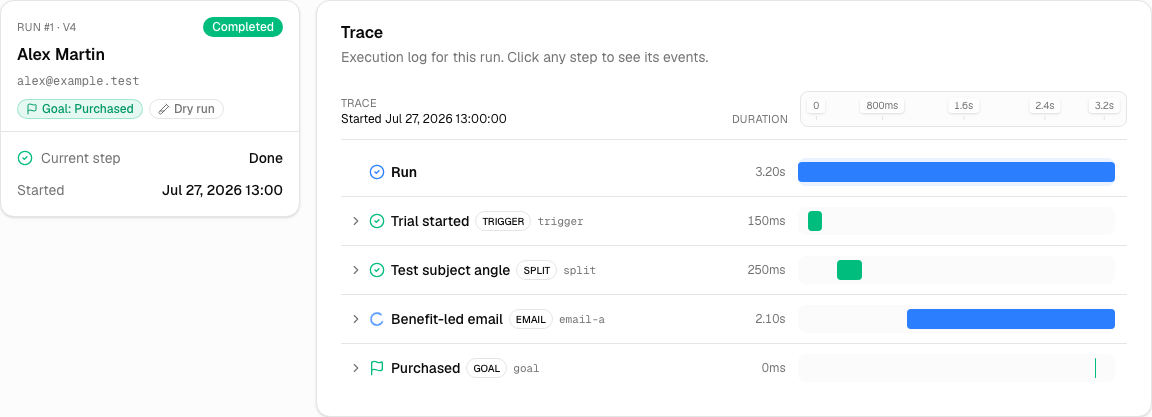
Define a rollback for each level. A draft can be deleted. A schedule can be cancelled. A published workflow needs version history, pause controls, and a way to inspect active runs. A delivered email cannot be recalled, which is why send authority deserves the strongest evidence.
What should remain human?
Humans should own the decisions where context, accountability, or relationship matters most:
- the promise made to the audience;
- sensitive announcements and apologies;
- new commercial claims;
- the final audience for a large send;
- exceptions to normal consent or frequency rules;
- the decision to send after a warning.
This does not make the automation less useful. It concentrates human attention on the few decisions that deserve it while the agent handles setup, consistency checks, and reporting.
How to measure an AI newsletter workflow
Do not judge the system only by how quickly it creates prose. Measure the complete workflow:
| Metric | What it tells you |
|---|---|
| Time from brief to approved draft | Whether automation removes operational work |
| Human edits per campaign | Where the brief or reusable context is weak |
| Link or variable errors | Whether pre-send checks are effective |
| Unsubscribe and complaint rate | Whether relevance or frequency is deteriorating |
| Click and conversion rate | Whether the message creates useful action |
| Failed or duplicated operations | Whether the agent integration is reliable |
Compare similar campaigns and audiences. A faster draft is not a win if it creates more corrections, lower trust, or accidental sends.
Add one operational review every month. Look at the prompts that produced the most edits, the checks that caught real defects, and the tool calls that had to be repeated. Convert recurring corrections into reusable context or deterministic validation. The goal is not to make the model sound more confident. It is to reduce avoidable judgment at the moment of execution.
Questions to answer before giving an agent access
- Can it read only the organization and audience required for the task?
- Are draft creation and delivery separate permissions?
- Does every mutation return an identifier that can be read back?
- Can the agent render the final email rather than review source text only?
- Is the recipient estimate calculated from the saved audience rule?
- Are schedule times returned with an explicit time zone?
- Can retries detect an existing campaign or delivery request?
- Can a human pause the campaign or workflow from the visual app?
- Does reporting distinguish acceptance, delivery, engagement, and conversion?
If several answers are no, keep the agent at the suggestion or preparation level. Better copy does not compensate for weak operational controls.
Start with one repeatable campaign
Choose a newsletter you already send on a predictable cadence. Document its inputs, audience, structure, checks, and approval. Then let the agent prepare that campaign as a draft.
Once the draft is consistently correct, add one capability at a time: audience setup, rendering checks, scheduling, then reporting. This gives you an observable system instead of a black box.
You can follow the Ship with Email playbooks to turn this operating model into a Claude Code launch, a Cursor newsletter, or a controlled Kit migration. The same workflows use one source of truth: the seven prompts that run a newsletter.
You can also start with Lumail for free, connect the interface you already use, and keep the visual editor as the final control surface. If you want the underlying operations first, explore the AI integration documentation or the email marketing API.