Lumail vs Resend: Email Infrastructure or an Agent-Operated Platform?
Compare Lumail and Resend by agent access, newsletter workflows, transactional email, and pricing model to decide which email platform fits your team.
In this guide
Lumail is a Resend alternative when you need a newsletter platform agents can operate, not only transactional infrastructure. Resend is a sending API with separate marketing-contact pricing. Lumail is one organization for campaigns, workflows, subscribers, and transactional email, billed by volume.
Resend has earned a strong reputation among developers, and this comparison does not pretend otherwise. The real question is which product model matches your work: email as an infrastructure primitive your code calls, or email as a complete operating surface your team and your agents share. Resend's facts below reflect its public product information as of August 9, 2026 from its official pricing page. Check both pricing pages before buying, because plans change.
Lumail vs Resend at a glance
| Decision | Lumail | Resend |
|---|---|---|
| Core focus | Newsletter platform with campaigns, workflows, and agent operations | Developer email infrastructure with transactional sending at the core |
| Agent access | 89 organization-scoped MCP tools plus CLI, SDK, and REST API | Developer API, SDKs, and AI-oriented documentation |
| Pricing basis | Unlimited subscribers; pricing follows email volume | Separate transactional volume and marketing contact plans |
| Free plan | 3,000 emails per month, no credit card | 3,000 transactional emails or 1,000 marketing contacts |
| Paid entry | Premium at $20/month with 40,000 emails included | $20/month transactional; $40/month marketing |
| Automation | Graph-based workflows on every plan | 10,000 automation runs included; usage overage on paid plans |
| Transactional email | Same organization, via API or SMTP relay | Core product with REST API and SMTP |
| Publishing surface | Visual editor, capture pages, campaigns, workflows | Broadcasts and contacts, not a hosted newsletter publication |
| Best fit | Teams that want agents and humans operating one email platform | Developers prioritizing transactional delivery and API ergonomics |
For a condensed version of this table, see the side-by-side comparison table. Lumail's current plans are on the Lumail pricing page.
Choose Lumail if you want agents operating the whole platform
The largest difference between the two products is not a feature checkbox. It is who, or what, can run your email operation.
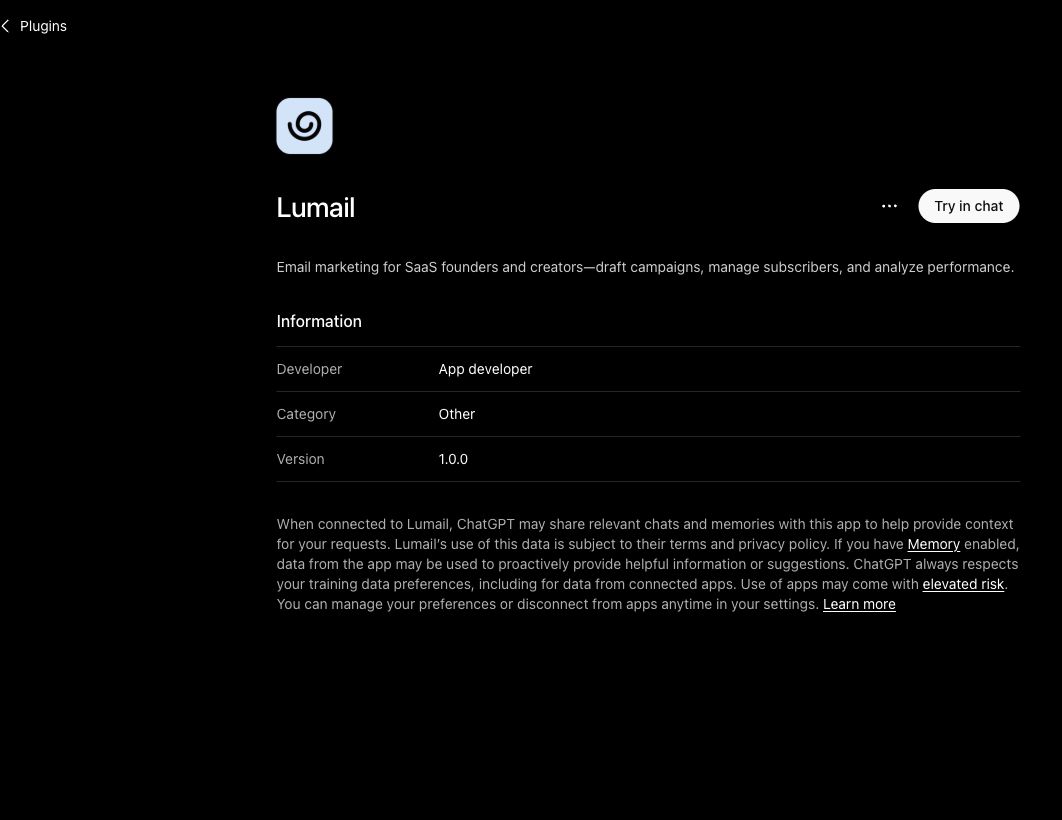
Resend gives developers an API to send email from code. Lumail exposes the entire platform, not only sending, as tools an AI agent can call. There are 89 organization-scoped MCP tools covering subscribers, tags, segments, campaigns, workflows, capture pages, domains, transactional messages, and analytics. The same operations run inside ChatGPT, Claude, Claude Code, Cursor, Hermes, and OpenClaw, and through the CLI, the TypeScript SDK, and the REST API.
In practice that means an agent can:
- import and tag subscribers, then verify the resulting segment count;
- draft a campaign, inspect the rendered email, and leave it for human approval;
- build or edit a graph-based workflow with triggers, waits, branches, and goals;
- answer "why did this subscriber not get the welcome sequence" by reading real state;
- send a transactional message and report delivery events back to you.
Every tool is scoped to one organization, so an agent operates your workspace with the same boundaries as a team member. Humans keep the visual editor, the AI-assisted editor, and the workflow canvas; agents keep the tools. Both act on the same underlying objects, so nothing is exported, copied, or re-imported between surfaces.
Resend's API is genuinely good at what it targets. But its surface is oriented toward developers writing integration code, with AI-oriented documentation to help them do it. If the goal is "my assistant runs the newsletter and I approve sends", the platform itself needs to be operable by the agent, and that is what Lumail is built for.
Choose Resend if email infrastructure is the product you need
If your primary need is sending transactional email from application code, Resend is a strong choice and this comparison should say so plainly.
Resend's strengths are real:
- a strong developer experience and SDK ecosystem, including React Email for building templates in code;
- transactional email as the core product, with REST API and SMTP, plus inbound email and deliverability tooling;
- clear volume pricing with paid overages, so scaling costs are predictable.
Resend also offers broadcasts, contacts, and automations with 10,000 automation runs included on paid plans, so light marketing use cases fit. But it is infrastructure first: there is no hosted newsletter publication, and the marketing side lives on a separate plan priced by contacts. If your entire team is developers, your templates live in a repository, and email is a feature of your product rather than a channel you operate weekly, Resend's model is a natural fit.
Choose Resend when:
- transactional email infrastructure is the primary product you are buying;
- you prefer separate plans for transactional and marketing email;
- Resend's SDK and React Email ecosystem fit your existing stack.
Pricing: one subscription versus two plans
Price is the secondary difference here, but the models diverge enough to matter.
Resend splits email into two plans. Transactional starts at $20/month priced by sending volume. Marketing starts at $40/month priced by contacts. If you need both streams, you are managing two plans with two different scaling axes: one grows with sends, the other grows with stored contacts. The free tier gives you 3,000 transactional emails or 1,000 marketing contacts.
Lumail uses one subscription for everything, and only email volume moves the bill:
- Free: 3,000 emails per month, no credit card;
- Premium: $20/month with 40,000 emails included, then $0.60 per 1,000;
- Business: $200/month with 400,000 emails included, then $0.40 per 1,000.
Subscribers are unlimited on every plan, including Free. Storing 50,000 contacts costs the same as storing 500. Campaigns, workflows, and transactional messages all draw from the same email allowance in the same organization.
A worked example
Say you run a product with 25,000 subscribers, send one weekly newsletter to the full list, and send roughly 5,000 transactional emails per month from your app.
On Lumail: subscriber storage is free at any size. Monthly volume is about 25,000 × 4 = 100,000 newsletter emails plus 5,000 transactional, so 105,000 total. On Premium that is $20 plus 65,000 overage emails at $0.60 per 1,000, about $39, for roughly $59/month. If volume keeps growing, Business at $200/month covers 400,000 emails with cheaper overage.
On Resend: you would combine a transactional plan (from $20/month, sized by sending volume) with a marketing plan (from $40/month, sized by contacts, and 25,000 contacts sits well above the entry tier). The exact total depends on the tiers your volume and contact count land in, so run your own numbers on Resend's pricing page rather than trusting anyone's summary.
The structural point is not that one is always cheaper. It is that Lumail's cost tracks one variable you control, emails sent, while Resend's cost tracks two variables on two plans. Model a normal month, a launch month, and your list twelve months out before deciding.
Newsletters and workflows are first-class in Lumail
Resend's broadcasts and contacts cover sending a message to a list. Lumail treats the marketing side as a full product:
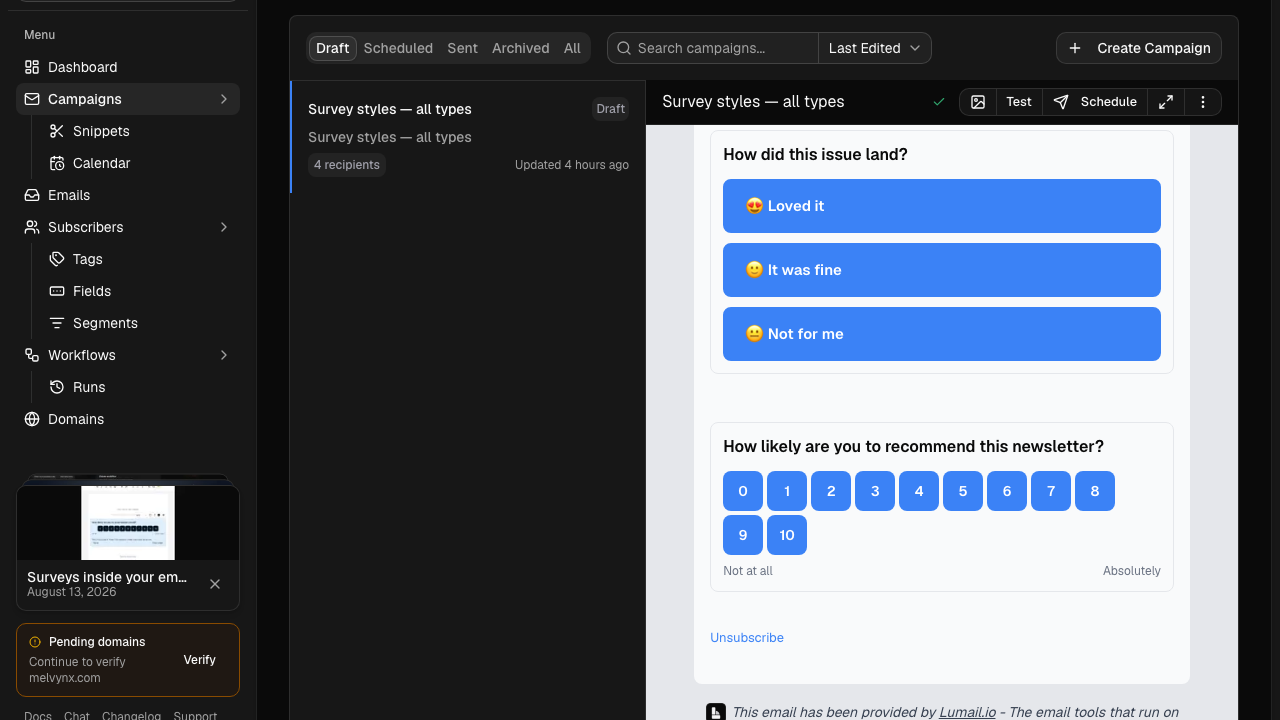
- a visual editor with an AI-assisted editing mode, so non-developers ship campaigns without touching code;
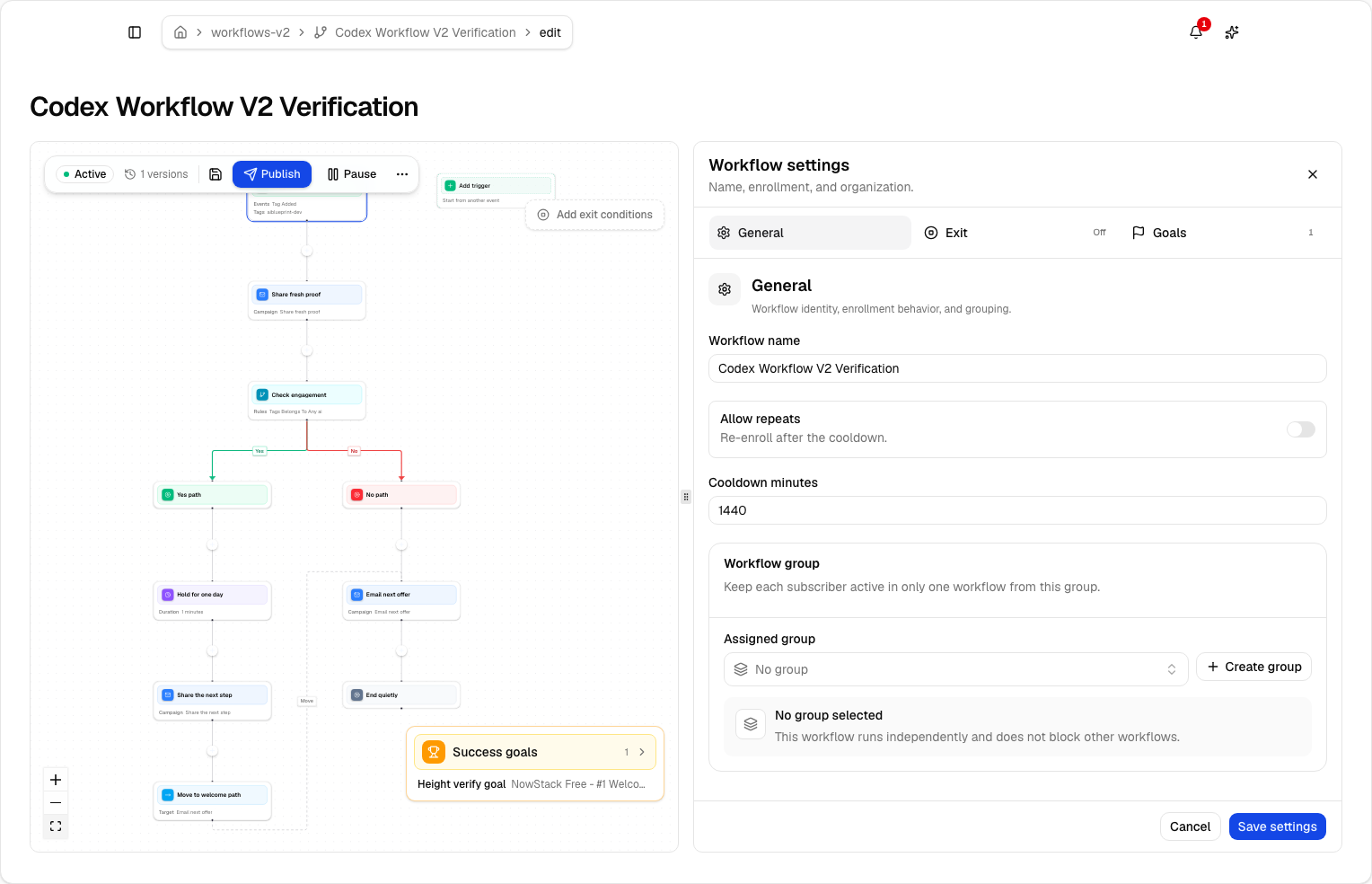
- graph-based workflows with subscriber, tag, event, schedule, and manual triggers; email, wait, action, and webhook steps; condition and weighted branches; goals and exits;
- capture pages and audience tooling for acquiring and segmenting subscribers;
- the same campaign and workflow objects reachable from the app, MCP tools, CLI, SDK, and API.
If your marketing email is one welcome message triggered from code, Resend's automations with their included runs may be all you need. If you operate a real newsletter, recurring campaigns, segmented sends, multi-step onboarding journeys, and want agents helping with the repetitive parts, the platform depth matters more than the API ergonomics.
Transactional email without a second product
This is the area where the products genuinely meet, and where Resend is strongest.
Resend's transactional sending is its core product: REST API, SMTP, inbound email, webhooks, and deliverability tooling built for developers. If transactional is all you need, it is hard to argue against.
Lumail's answer is integration rather than specialization. Transactional email lives in the same organization as campaigns and workflows, sent through the REST API, the TypeScript SDK, the CLI, agent tools, or the SMTP relay at smtp.lumail.io:587 with STARTTLS. One verified domain, one suppression state, one place where an agent or a teammate can answer "did the password reset go out, and did the welcome sequence also fire?"
If you would otherwise run Resend for product email and a separate newsletter tool for marketing, Lumail's one-organization model removes the seam between them.
Migration notes: moving marketing email to Lumail
Many teams will not migrate away from Resend entirely, and often should not. A common path is keeping code-level habits while moving the newsletter and lifecycle side to a platform agents can operate. If that is your plan:
- Export contacts and suppression state. Bring active contacts, unsubscribes, and bounces, not just the active list. Historical exclusions protect deliverability.
- Authenticate the domain first. Configure SPF and DKIM in Lumail, verify the sending domain or a dedicated subdomain, and keep the old sending path live while DNS propagates.
- Point transactional sends at Lumail. Because Lumail exposes both an API and the SMTP relay, switching is a credential and endpoint change, not a rewrite. Send test messages for each template before cutting over.
- Rebuild one automation as a workflow. Take your most important sequence, recreate it as a graph with explicit waits, branches, and a goal, and run a test subscriber through the success and early-exit paths.
- Send one representative campaign. Verify rendering, links, unsubscribe behavior, and the recipient count on a small consented segment before scheduling to the full list.
- Give your agent the tools. Connect Lumail through MCP in the assistant your team already uses, and let it handle drafts, audience questions, and reporting while sends stay behind human approval.
Frequently asked questions
Is Lumail a Resend alternative?
Yes, if you need a newsletter platform agents can operate. No, if transactional sending from application code is the whole product you are buying.
Is Lumail cheaper than Resend?
Lumail is one volume-priced subscription. Resend splits transactional volume and marketing contacts into two plans. Teams that need both streams often pay two Resend bills; model that against one Lumail plan.
What is the main difference between Lumail and Resend?
Resend is developer email infrastructure. Lumail is an email operating system: campaigns, graph workflows, subscribers, and transactional email with 89 MCP tools.
Can I migrate from Resend to Lumail?
Yes. Many teams keep Resend for some transactional paths and move the newsletter to Lumail. Export contacts and suppressions, authenticate the domain, rebuild one automation as a workflow, then connect MCP.
The verdict
Choose Resend when email is an infrastructure dependency: your developers own it, transactional delivery and API ergonomics are the priority, and separate transactional and marketing plans match how you budget. It is a well-built product with a deserved reputation.
Choose Lumail when email is an operation you and your agents run together: newsletters, workflows, audience management, and transactional messages in one organization, with 89 MCP tools, a CLI, an SDK, and a REST API beside a visual editor, and pricing that follows emails sent rather than contacts stored on two plans.
You can start Lumail free with 3,000 emails per month and no credit card, review the documentation, or scan the side-by-side comparison table first. Still mapping the market? The email platform comparison hub covers Mailchimp, MailerLite, Kit, beehiiv, Substack, Brevo, ActiveCampaign, Loops, and Buttondown as well.