Create an API Token
Step-by-step guide to generating API tokens for authenticating your Lumail API requests.
This tutorial walks you through creating an API token in Lumail. API tokens allow your applications, integrations, and automations to securely access your organization's data.
Why use API tokens?
- Programmatic access — Automate subscriber management, send emails, and sync data from your applications.
- Secure authentication — Tokens are scoped to your organization and can be revoked anytime.
- Integration ready — Connect Lumail with tools like Make.com, Zapier, n8n, or your custom backend.
- No user credentials — Keep your account secure by using tokens instead of username/password.
Prerequisites
- A Lumail account with an organization.
- Owner or admin role in the organization.
Step 1 — Navigate to API Keys
- Log in to your Lumail dashboard.
- Click on API Keys in the sidebar.
- Click the Generate API Key button.
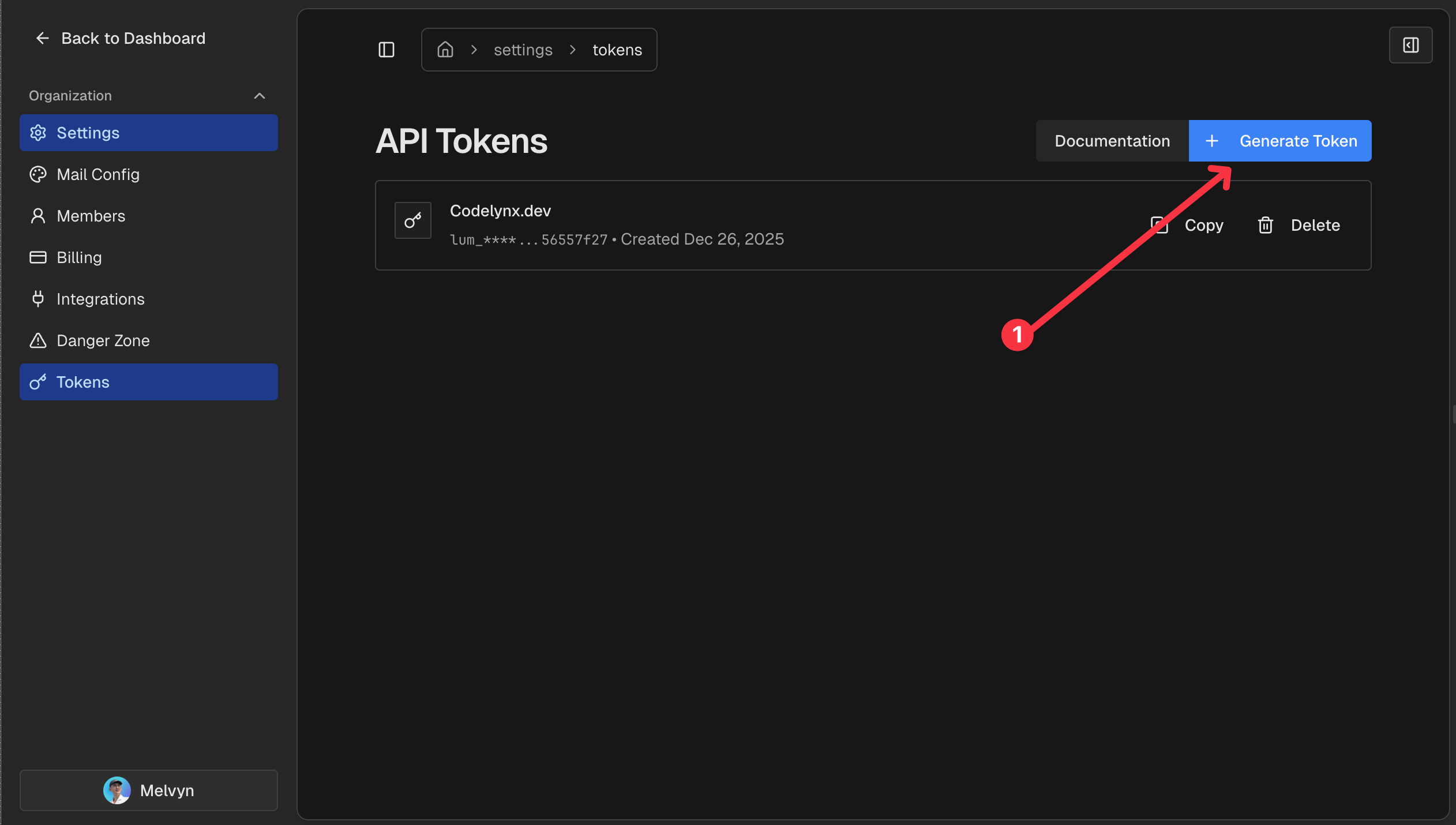
Step 2 — Name your token
Give your token a descriptive name to identify its purpose:
Production API— For your production applicationDevelopment— For local development and testingZapier Integration— For Zapier automationWebhook Handler— For processing workflow webhooks
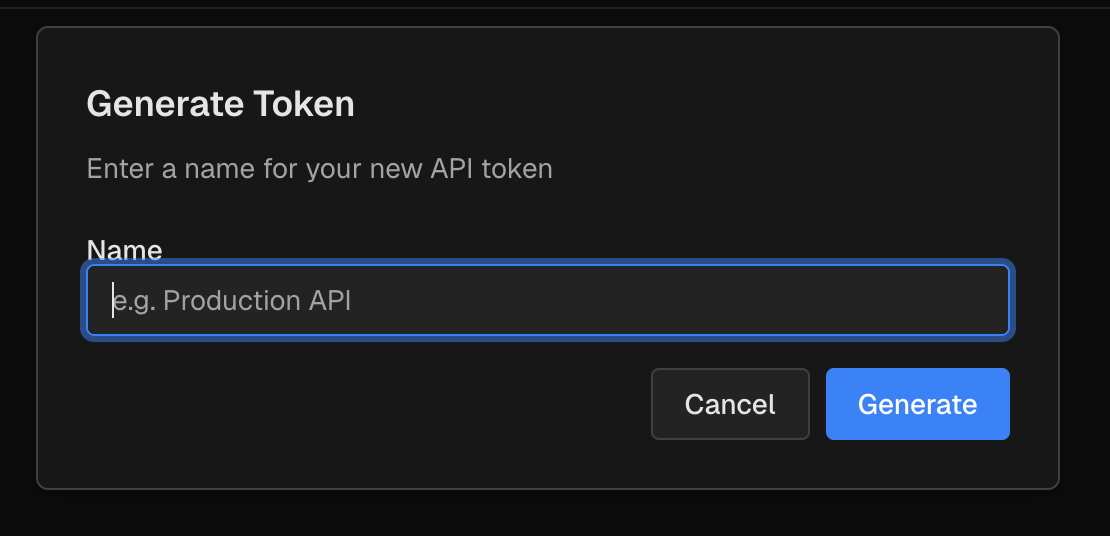
Click Create to generate your token.
Step 3 — Copy and save your token
Your token will be displayed only once. Copy it immediately and store it securely.
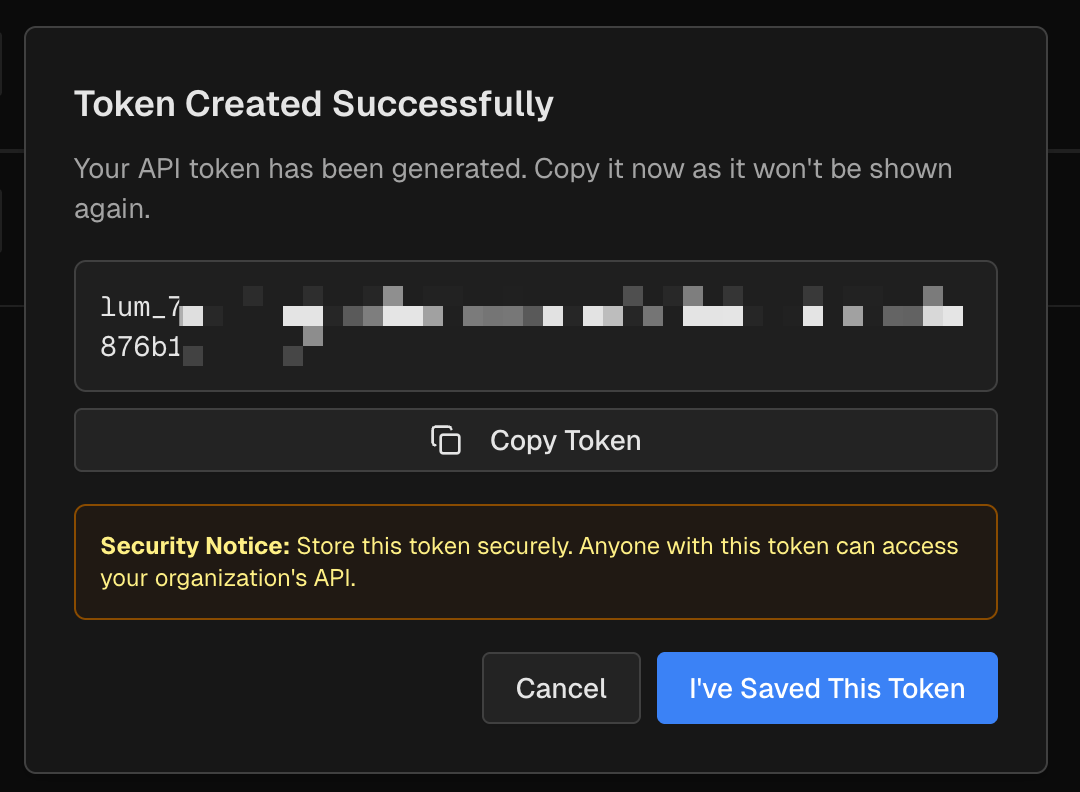
The token format is lum_ followed by a 64-character string:
lum_a1b2c3d4e5f6g7h8i9j0k1l2m3n4o5p6q7r8s9t0u1v2w3x4y5z6Store it in your environment variables:
# .env.local (never commit this file)
LUMAIL_API_TOKEN=lum_your_token_here
Step 4 — Use your token
Include the token in the Authorization header of your API requests:
const response = await fetch("https://lumail.io/api/v1/subscribers", {
  method: "POST",
  headers: {
    Authorization: `Bearer ${process.env.LUMAIL_API_TOKEN}`,
    "Content-Type": "application/json",
  },
  body: JSON.stringify({
    email: "[email protected]",
    name: "Jane Doe",
    tags: ["newsletter"],
  }),
});

const data = await response.json();
console.log(data);
Security best practices
- Never commit tokens to version control — Use environment variables or secret managers.
- Use separate tokens — Create different tokens for development, staging, and production.
- Rotate tokens regularly — Generate new tokens periodically and delete old ones.
- Delete unused tokens — Remove tokens you no longer need from the settings page.
Managing tokens
To view, or delete existing tokens:
- Go to API Keys.
- View all active tokens with their creation dates.
- Click the delete icon to revoke a token.
Deleting a token immediately revokes access — any applications using it will fail authentication.
Related Documentation
- API Tokens Reference - Complete token documentation
- Create Subscriber API - Add subscribers
- Send Email API - Send transactional emails
- Update Subscriber API - Update subscriber data
- Tags API - Manage tags
- Track Events API - Track subscriber activity
- Dynamic Promo Codes - Use tokens in webhooks
- Webhook Step - Authenticate webhook callbacks