Newsletter Automation: A Practical Guide
Build newsletter automations that welcome, educate, segment, and convert subscribers with clear triggers, waits, branches, goals, and exit rules.
In this guide
Newsletter automation is a set of emails and subscriber actions that run when a defined event occurs. A new subscriber can receive a welcome sequence, a customer can leave a sales sequence after purchasing, and an engaged reader can move into a more relevant topic segment without manual list work.
Good automation does not mean sending more email. It means sending the right message because something specific happened, then stopping when the message is no longer useful.
Start with the subscriber event
Every useful automation begins with an observable trigger. Avoid building a sequence around a vague segment such as “people who might be interested.” Use an event you can explain and test:
- a subscriber joins the list;
- a tag is added;
- a form or capture page is submitted;
- a purchase or product event is received;
- a date or scheduled condition is reached;
- a subscriber is manually enrolled.
The trigger should answer two questions: why is this person entering now, and what promise does the first email need to fulfill?
For a lead magnet, the first job is delivery. For a product trial, it may be activation. For a weekly newsletter, it may simply be confirming what the reader will receive and how often.
The five parts of a reliable email workflow
1. Trigger
The trigger starts the workflow. Keep it narrow enough that every enrolled subscriber shares the same immediate context. If two groups need different first messages, use separate triggers or branch immediately using a field you trust.
2. Email steps
Each email should have one job. A welcome sequence might deliver the resource, establish expectations, show one useful workflow, and then invite the reader to take a next step.
Do not make every message repeat the full sales pitch. Sequence the questions already forming in the reader’s mind: Did I get what I requested? Is this useful for me? Can I trust the sender? What should I try next?
3. Wait steps
Wait steps control pacing. A fixed delay is simple, but timing can also respect a day of the week or a specific time. The right delay depends on the promise and the subscriber’s urgency.
Short delays work for onboarding actions that belong together. Longer delays work for education that needs time to apply. If a reader must complete an action before the next message makes sense, wait for the event or branch on the result instead of guessing how long it will take.
4. Conditions and branches
Branches route subscribers using known data or behavior. Examples include:
- customer versus non-customer;
- clicked a setup link versus did not click;
- selected topic A versus topic B;
- completed an onboarding event versus still inactive.
Every branch creates maintenance work. Add one only when it changes the message or next action in a meaningful way. A complex diagram is not proof of a relevant experience.
5. Goals and exit rules
A goal records the outcome the workflow is designed to create. An exit rule prevents later messages after the subscriber no longer needs them.
If a subscriber buys, completes onboarding, unsubscribes, or enters a mutually exclusive journey, the workflow should react. Without exit rules, a technically correct sequence can send an obviously wrong message, such as a purchase reminder after the purchase.
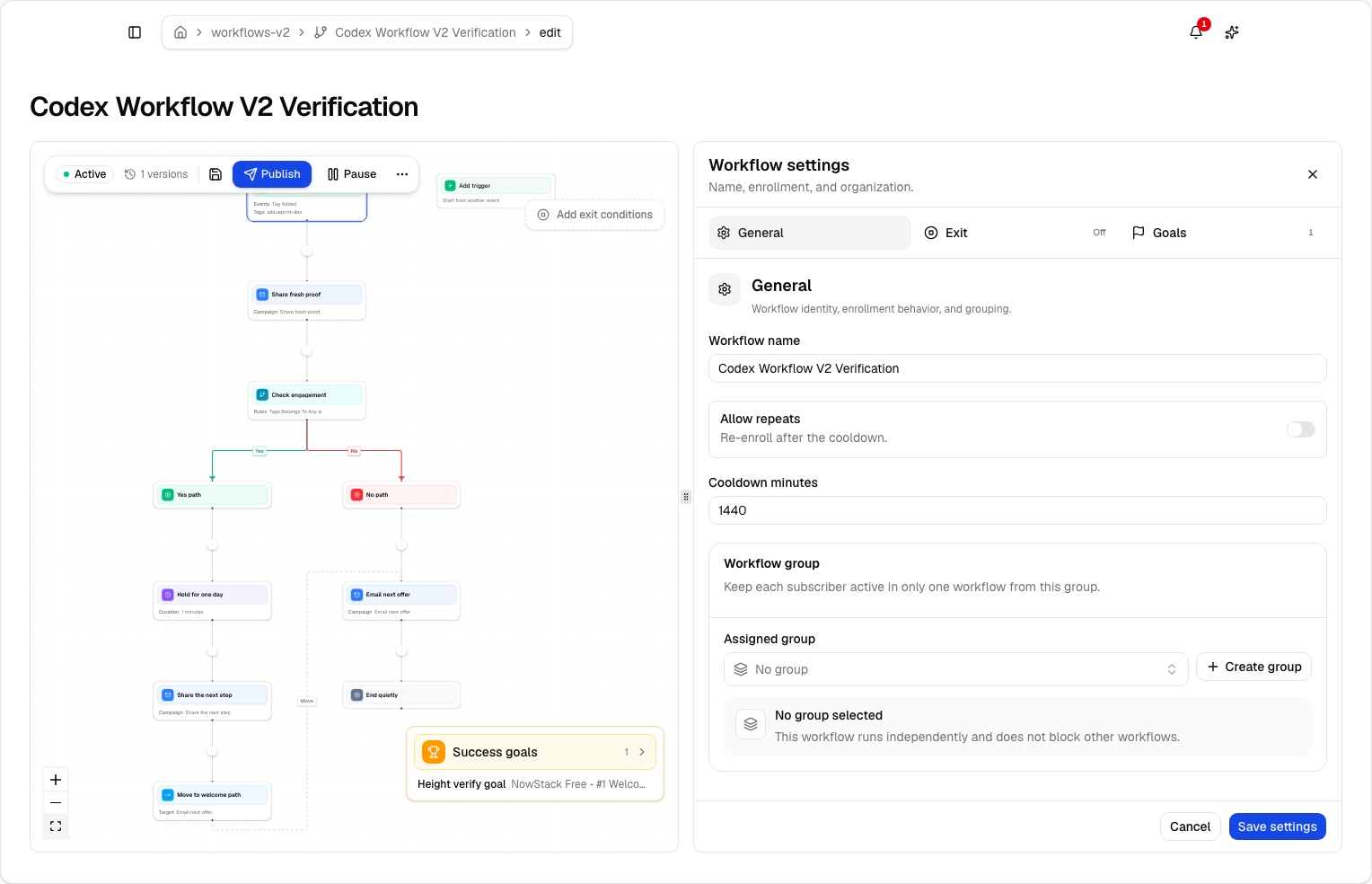
Lumail workflows support graph-based steps, branches, goals, exit rules, and workflow groups that prevent conflicting enrollments.
Write the workflow contract on one page
Before opening a visual builder, document the system in a compact contract. This catches unclear logic while changes are still cheap.
Include these fields:
- Entry event: the exact event and the source that emits it.
- Eligibility: the subscription state, tags, fields, and exclusions required at entry.
- Promise: what the subscriber expects because the trigger happened.
- Primary goal: the event that proves the workflow worked.
- Exit events: every reason later messages should stop.
- Frequency policy: how this workflow interacts with campaigns and other automations.
- Owner: the person responsible for copy, logic, and incident review.
For example, a trial onboarding workflow might enter on trial.started, exclude existing customers, aim for project.created, exit on purchase or cancellation, and yield to critical account messages. That is much easier to implement and test than “build an onboarding sequence.”
A practical welcome sequence
Here is a simple starting point for a creator newsletter:
| Stage | Timing | Purpose |
|---|---|---|
| Welcome | Immediately | Deliver the promised resource and set expectations |
| Useful win | After 1 day | Help the reader apply one idea quickly |
| Point of view | After 2 days | Explain the belief or method behind the newsletter |
| Best resource | After 2 days | Send the most relevant guide or case study |
| Next step | After 3 days | Invite a reply, product trial, or focused action |
Add one exit rule for the primary conversion. If the final action is starting a trial, subscribers who start should leave the welcome sales path and enter onboarding instead.
This sequence is deliberately small. You can observe where people click, reply, unsubscribe, or convert before adding more branches.
How to build the automation
Define the outcome
Write one measurable sentence: “This workflow helps new subscribers reach X.” If you cannot name the outcome, the sequence will become a collection of emails rather than a system.
List the minimum subscriber data
Identify the trigger event, tags, fields, and conversion event required. Do not create conditions from data you do not reliably collect.
Draft the happy path first
Build the simplest sequence from entry to goal. Ignore edge cases until the core path is understandable. Then add exits and one meaningful branch at a time.
Test with a controlled subscriber
Use a test address and verify the actual timeline:
- the trigger enrolls once;
- variables render with real values;
- waits use the intended time zone;
- links point to the correct destination;
- the goal or exit event stops later steps;
- unsubscribe behavior works.
Lumail provides a focused workflow testing guide and keeps draft and published workflow definitions separate, so you can review changes before they affect new runs.
Publish, then watch the first runs
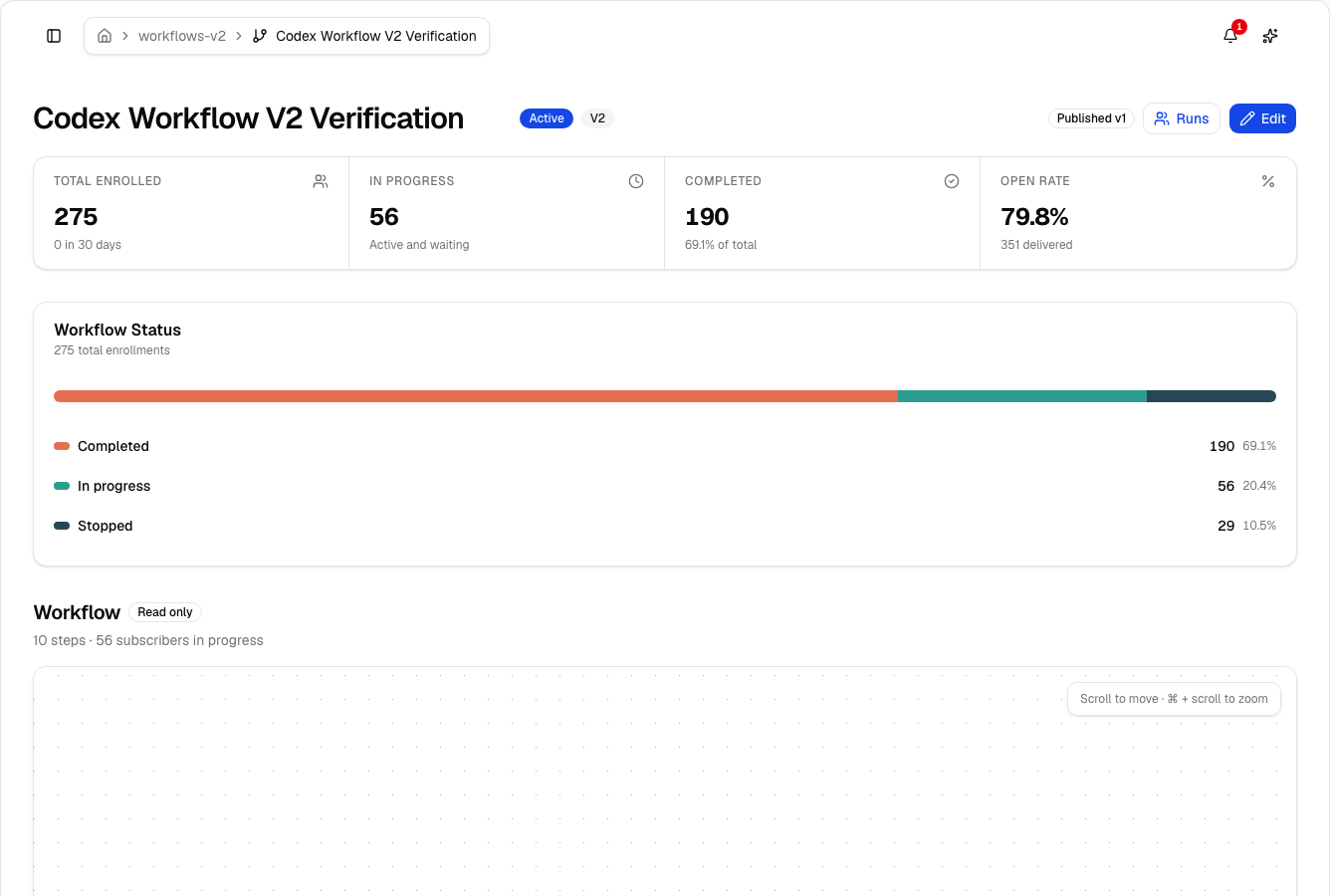
Do not disappear after pressing publish. Inspect the first subscribers through every major branch. Look for unexpected waits, missing data, duplicate enrollments, and subscribers who should have exited.
Test behavior, not only configuration
A green “published” badge proves that the definition was accepted. It does not prove the subscriber experience.
Run at least four controlled scenarios:
- a subscriber follows the happy path and reaches the goal;
- a subscriber takes the negative branch;
- a subscriber converts early and exits before later messages;
- the same trigger arrives twice and does not create an unsafe duplicate run.
Inspect the event timeline for each scenario. Verify timestamps, branch inputs, rendered variables, goal attribution, and the reason the run stopped. If the workflow calls an external webhook, test a timeout and a non-success response too.
Keep test subscribers clearly named and separate from production reporting. A useful test creates evidence you can revisit after the next workflow edit.
Common newsletter automation mistakes
Automating an unclear message
Automation multiplies whatever is already there. If the promise, audience, or next action is weak, a longer sequence spreads the confusion across more emails.
Using opens as the only decision signal
Open tracking is not a perfect indicator of attention. Prefer explicit events such as clicks, form submissions, purchases, replies, and product activity when the branch matters.
Forgetting frequency across workflows
A subscriber can qualify for several automations at once. Coordinate campaigns and workflows through workflow groups, suppression rules, or a shared sending policy. The subscriber experiences one inbox, not your internal list of automations.
Editing a live sequence without version awareness
Know whether a change affects people already in the workflow, only new enrollments, or both. Review the published definition and active runs before replacing a message or changing an edge.
Measuring activity instead of progress
Sent and opened are operational metrics. The workflow exists to create a subscriber outcome: activation, education, purchase, retention, or a qualified reply. Track that outcome as the goal.
What to measure
Review performance at the workflow and step level:
- enrollment count and duplicate prevention;
- delivery, bounce, and complaint rates;
- clicks on the primary action;
- goal completion rate;
- time from enrollment to goal;
- exits by reason;
- branch distribution;
- unsubscribe rate by step.
A step with high clicks can still be a problem if it sends subscribers toward the wrong outcome. A low-click email can be useful if its job is expectation setting or resource delivery. Judge each step by its intended role.
Run experiments only after the baseline works
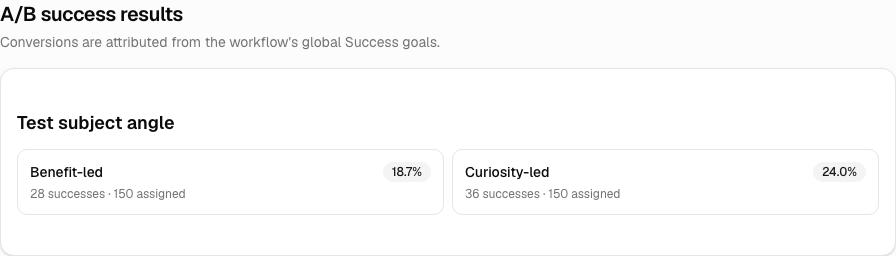
A/B testing is useful when one variable connects to a meaningful outcome. Test a subject angle against a click or conversion goal, a wait duration against activation, or two educational paths against completion time.
Do not test several copy, timing, and audience changes in the same split. You may find a winner without learning why it won. Keep assignment stable, define the success goal before publishing, and let both paths reach enough eligible subscribers before drawing a conclusion.
Production readiness checklist
- The trigger has one owner and a documented payload.
- Eligibility and exclusions use fields that are consistently populated.
- Every email has one purpose and one primary action.
- Waits match the urgency of the subscriber event.
- Branches change the experience in a meaningful way.
- Goals and exits stop irrelevant future messages.
- Repeated triggers have an explicit enrollment policy.
- Draft and published versions can be compared.
- Test runs cover success, negative, early-exit, and retry paths.
- Alerts exist for delivery failures or abnormal run behavior.
- Campaign and workflow frequency is reviewed from the subscriber's perspective.
If the checklist feels heavy, reduce the workflow. A smaller system that can be explained, tested, and observed will outperform a diagram nobody feels safe editing.
Build the smallest workflow that can learn
The fastest path to a strong automation is a small version with a real trigger, one clear goal, and observable exits. Publish it to a controlled audience, inspect the runs, and improve it from behavior rather than assumptions.
Explore Lumail’s workflow documentation to build the graph in the visual editor or control the same workflow through AI tools, the CLI, SDK, or API. Then use the Ship with Email playbooks to connect that automation to a real launch from Claude Code or Cursor.
The source-of-truth prompt pack stays the same across every workflow: get the seven prompts that run a newsletter. You can also start free with 3,000 emails per month and no credit card.