SystemIO Integration
Automatically sync contacts and tags from SystemIO to Lumail using webhooks
Automatically sync contacts and tags from SystemIO to Lumail using webhooks. This integration allows you to centralize your email marketing data and leverage Lumail's advanced segmentation and automation features with your SystemIO audience.
What is SystemIO?
SystemIO is an all-in-one marketing platform that includes sales funnels, email marketing, course hosting, and webinar capabilities. With this integration, you can sync your SystemIO contacts and activity to Lumail in real-time.
How It Works
When events occur in SystemIO (new opt-ins, tag changes), SystemIO sends webhook notifications to Lumail. The integration:
- Authenticates the request with the Lumail API token in the webhook URL
- Processes the event (creates subscribers, syncs tags)
- Updates your Lumail database in real-time
- Records all events in the subscriber timeline
Guided setup (recommended)
Lumail has a step-by-step wizard that generates the token and the webhook URL for you:
Settings -> Integrations -> Systeme.io, at https://lumail.io/orgs/<your-org-slug>/settings/integrations/systemio.
It gives you the exact values to paste into Systeme.io. The manual steps below do the same thing by hand.
Setup Instructions
Follow these steps to connect your SystemIO account to Lumail.
Step 1: Generate an API Token
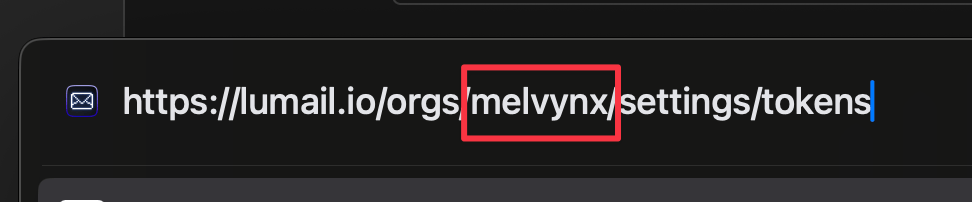
- Visit your organization settings page
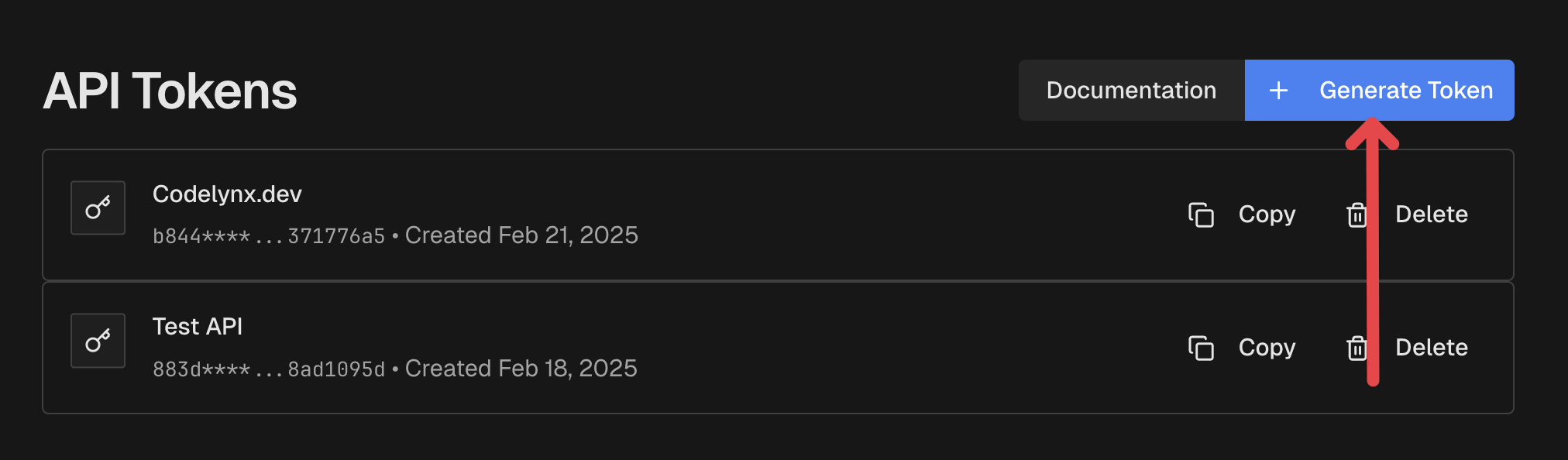
- Click "Generate Token" and give it a name like "SystemIO"
- Copy the generated token - it starts with
lum_and you'll need it in the next step
Step 2: Create the Webhook in SystemIO
Now you'll configure the webhook in your SystemIO account.
Click "Create" to add a new webhook
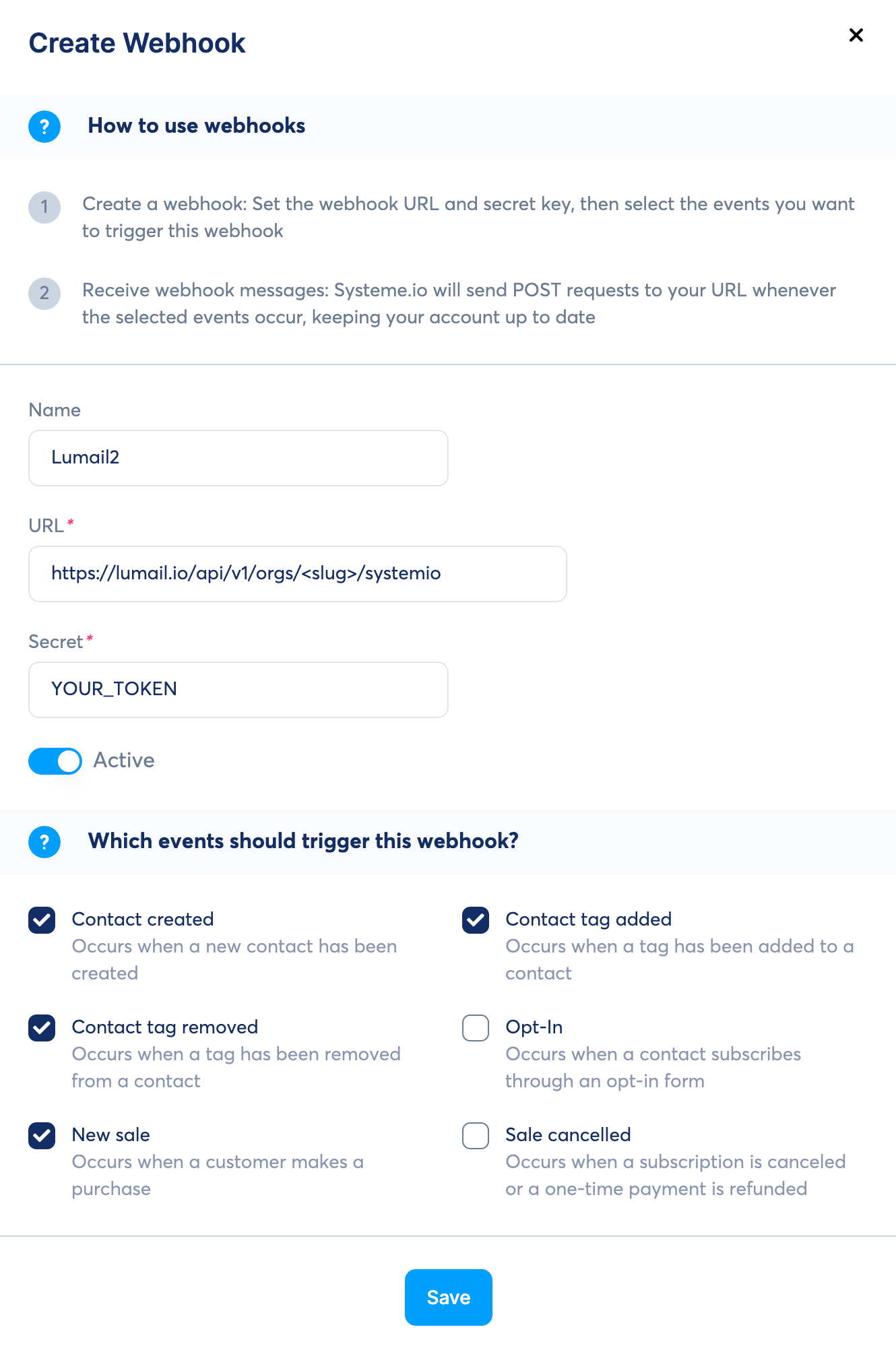
Fill in the form with these values:
- Name:
Lumail.io - URL:
https://lumail.io/api/v1/integrations/systemio/<your-token>- Replace
<your-token>with the token from Step 1 (e.g.,https://lumail.io/api/v1/integrations/systemio/lum_1a2b3c...)
- Replace
- Secret: leave empty, or enter any value - Systeme.io uses it to sign the request
- Name:
Select the events you want to sync:
- ✅ Contact Created - Syncs new opt-ins
- ✅ Contact Tag Added - Syncs tag additions
- ✅ Contact Tag Removed - Syncs tag removals
Your filled form should look like this:
- Click "Save" to activate the webhook
Step 3: Test the Integration
To verify the integration is working:
- Add a test contact in SystemIO with some tags
- Check your Lumail organization's subscribers list
- The contact should appear with all synced tags
- Check the subscriber's timeline to see the sync events
Supported Events
The SystemIO integration automatically syncs the following events:
Contact Created (CONTACT_CREATED)
When a new contact opts in to your SystemIO list:
- Creates or updates the subscriber in Lumail
- Syncs all contact fields (first name, last name, phone)
- Applies all existing tags from SystemIO
- Records the event in the subscriber timeline
Contact Tag Added (CONTACT_TAG_ADDED)
When a tag is added to a contact in SystemIO:
- Creates or updates the subscriber in Lumail
- Adds the tag to the subscriber (creates tag if it doesn't exist)
- Records the tag addition in the subscriber timeline
Contact Tag Removed (CONTACT_TAG_REMOVED)
When a tag is removed from a contact in SystemIO:
- Removes the tag from the subscriber in Lumail
- Records the tag removal in the subscriber timeline
- Keeps the subscriber active
Security
The webhook URL carries your Lumail API token, which is what authenticates the request and scopes it to your organization. Lumail also requires Systeme.io's x-webhook-signature header to be present and well-formed (a 64-character HMAC-SHA256 hex digest) before processing anything.
Treat the webhook URL as a secret: anyone holding it holds a working API token. Revoke the token from Settings -> API Tokens to cut the integration off immediately.
A legacy endpoint,
https://lumail.io/api/orgs/<your-org-slug>/systemio, is still accepted for existing setups. It identifies your organization by slug rather than by token, so migrate to the token URL above and delete the old webhook in Systeme.io.
Troubleshooting
Webhook not working?
- Check the webhook URL: Make sure you replaced
<your-token>with your actual API token, including thelum_prefix - Verify the token: Ensure you copied the complete token without extra spaces
- Check webhook events: Make sure you subscribed to the correct events in SystemIO
- Review logs: Check your subscriber timeline for any error messages
Contacts not syncing?
- Verify the webhook is active in SystemIO
- Check that the contact has a valid email address
- Ensure the webhook events are properly configured in SystemIO
Tags not appearing?
- Tags are automatically created in Lumail if they don't exist
- Check the subscriber's tags section to see all synced tags
- Review the subscriber timeline for tag addition events
Related Documentation
- SystemIO Webhook Documentation
- SystemIO API Reference
- Lumail API Reference - Complete API documentation
- API Tokens - Create and manage API tokens
- Tags API - Manage synced tags
- Subscriber Events - View integration events in timeline